If you’ve spent years on the touchline, you’ll know that paper notebooks and traditional magnetic tactics boards are things of the past. In 2026, technology is no longer a luxury but an essential requirement for planning training sessions quickly, communicating tactical concepts clearly and analysing squad performance. When looking for the best digital tool, two major names inevitably come up: tactical pad and bcoach.
For years, the tactical pad app has been the go-to virtual tactics board for thousands of coaches worldwide. However, the arrival of more comprehensive platforms such as bcoach has transformed the needs of modern coaching staff. Drawing a set-piece routine is no longer enough. Today’s coaches need to manage team selections, match statistics, training drills and communication in one place.
In this comprehensive and 100% honest comparison, based on our first-hand experience on the pitch and an analysis of coaches’ real-world workflows, we break down the advantages, disadvantages and key differences between the two tools.
What is Tactical Pad, and why has it been a benchmark for digital tactics boards?
Tactical Pad is one of the world’s best-known software solutions for illustrating and animating sports drills. Originally designed as a dedicated tactical tool, its main strength lies in its ability to recreate match situations in 2D and 3D, with a high level of visual detail.
Tactical Pad’s strengths
- Powerful 3D animation: Allows coaches to present drills from multiple camera angles, creating a realistic view of the pitch.
- Customisable graphics: Offers a wide range of elements, including cones, poles, agility ladders, goals in different sizes and player kits.
- Cross-platform compatibility: Available for Windows, Mac, iOS and Android.
Tactical Pad’s limitations
Although it excels as a tactical graphics board, Tactical Pad falls short when a coach needs to manage the team as a whole. It was not designed as a comprehensive team management platform, but rather as a tool for creating tactical graphics and animations.
What is bcoach, and how has it transformed coaching management in 2026?
bcoach was built around a completely different philosophy: to become the ultimate football coaching app, bringing all of a coach’s daily work together on a single screen. Rather than simply serving as a drawing board, bcoach combines three key functions in one intuitive interface: squad management, drill and session design, and a tactical board for live match analysis.
bcoach’s strengths
- Three-in-one solution: Combines a coach’s notebook, a drill designer and an interactive match tactics board.
- Fast, touch-optimised interface: Specifically designed for use on a tablet or smartphone on the training pitch, without wasting time.
- Statistics and ongoing performance tracking: Allows coaches to record events live during matches, including shots, fouls, ball recoveries and minutes played, and link them to individual player profiles.
- Exporting and communication: Makes it easy to generate PDF files and images to share with players or coaching staff via WhatsApp or email.
Head-to-head comparison: bcoach vs Tactical Pad
To help you decide at a glance which tool best suits your coaching methodology, we’ve summarised the key features in the following comparison table:
| Feature / Functionality | Tactical Pad | bcoach |
|---|---|---|
| Main focus | Tactical board and 3D animation | Comprehensive team management and training |
| Drill and exercise design | Excellent (complex 2D/3D graphics) | Fast, intuitive and practical |
| Match-play animation | Yes (advanced 3D) | Yes (simple, effective 2D animations) |
| Squad management and team selection | Not available | Yes (player profiles, attendance and minutes played) |
| Live match tactics board | Basic | Yes (with statistics tracking) |
| Ease of use / Learning curve | Medium to high | Very low (intuitive from day one) |
| PDF / image export | Yes | Yes (customisable session templates) |
| Optimised for use on the training pitch | Moderate (editing takes time) | Excellent (fast, immediate design) |
User interface and everyday ease of use
One of the deciding factors when choosing sports software is preparation time. A grassroots or semi-professional football coach cannot spend four hours every day putting together a training session.
- The Tactical Pad experience: Its range of graphic options is extensive, but that same complexity creates a steeper learning curve. Creating a smooth 3D animation with several synchronised movements can require considerable time and effort. If you need highly realistic visuals for formal presentations, it performs very well. However, if you want to prepare a training session in 15 minutes before leaving home, the process can feel cumbersome.
- The bcoach experience: Its UX/UI design prioritises simplicity and functionality. The interface is clean, without cluttered menus. Designing a possession drill with three neutral players and two goals takes just a couple of minutes. Everything is within easy reach, and the touch response on an iPad or Android tablet is extremely smooth.
Drill design, animation and tactical graphics
When we look exclusively at graphics capabilities, the two platforms offer different solutions for different needs.
Drawing and illustration
If you want to draw a tactical formation, mark passing lanes or highlight pressing zones, bcoach offers a clean drawing system, clear colours and a library of training equipment, including cones, poles, mini-goals and footballs, that is more than sufficient for 99% of real-world situations. Tactical Pad, on the other hand, adds 3D perspective options and advanced customisation of pitch patterns and advertising hoardings.
Match-play animation
In tactical pad, the frame-based animation engine allows multiple players to move in sequence, creating eye-catching videos or GIFs. In bcoach, tactical animations focus on conceptual clarity: players can be moved intuitively to illustrate shifting across the pitch or runs off the ball, without unnecessary complexity.
A dressing-room reflection: As coaches, we often fall into the trap of thinking that the more complex a graphic is, the better players will understand the drill. Experience in the dressing room shows the opposite: players need clear, immediate visual information. An overloaded animation creates confusion; a clean diagram solves problems.
Team management, statistics and team selection: more than a tactics board
This is where the balance tips decisively in bcoach’s favour.
A coach is not just a tactician; they are also responsible for managing a group of players. They need to know how many minutes each player has played over the past month, who has missed training due to injury or studies, and have each squad member’s medical or contact details readily available.
Squad management: In bcoach, you can create player profiles with photos, positions, shirt numbers and personal details. You can also track attendance at each training session with just a couple of taps.
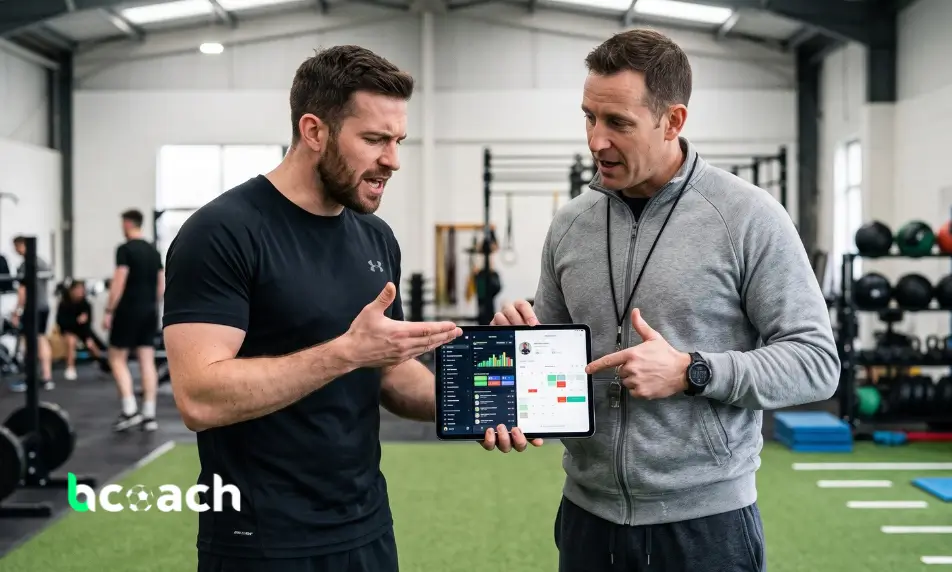
Real-time statistics: During a match, bcoach lets you use your tablet as an interactive board to record shots on target, recoveries in the opposition’s half, losses of possession and cards. At the end of the match, the app generates automatic metrics to help you make decisions based on real data rather than just gut feeling.
Monthly planning: You can organise your entire training microcycle by assigning each drill you’ve created to a specific day in the calendar.
Tactical Pad does not include this comprehensive management module, so if you use it, you’ll need external Excel spreadsheets or paper notebooks to keep track of your players.
Exporting, compatibility and use on the touchline
The real test comes when you enter the dressing room or take your seat on the bench during a match.
- In the dressing room: Both apps allow you to connect your tablet to a TV or projector for the pre-match tactical briefing. If you prefer to hand printed session plans to your assistants, such as the fitness coach, assistant coach or goalkeeping coach, bcoach stands out for its PDF export formats, which produce clean, well-organised drill sheets with a polished, professional appearance.
- On the touchline: During the 90 minutes of a match, bcoach becomes your interactive notebook. You can adjust the formation on the fly, show a substitute exactly where to position themselves during an opposition corner before they come on, and record match data without switching apps.
Pricing and subscription models in 2026
Cost is always an important factor when choosing sports software.
- Tactical Pad: Offers individual licences for specific devices or annual licences. It is a reasonable investment if you only need tactical drawing software for a computer or tablet.
- bcoach: Offers competitively priced plans covering not just the tactical board, but also the complete suite of team management, session design and match analytics tools. Its value for money is particularly strong, considering that it replaces two or three separate apps: a tactics board, a squad management tool and a statistics app.
Final verdict: which tool should you choose for your coaching profile?
There is no universally perfect tool. The right choice depends on the specific needs of each coach and coaching staff.
Choose Tactical Pad if:
- Your main role is that of a tactical analyst or content creator who needs highly complex 3D animations for explanatory videos on social media or television.
- You only need a tool for highly detailed tactical illustrations and already use other software to manage your team.
Choose bcoach if:
- You are a head coach or assistant coach looking to save time and centralise all your team’s information in a single app.
- You value the ability to design training sessions quickly and share them instantly with your coaching staff and players.
- You want to track attendance, minutes played and live match statistics accurately and easily.
- You are looking for a modern, intuitive solution fully adapted to the realities of football in 2026.